Will this get me banned from Roblox?
The tool changes local graphics and frame-rate settings and clears the cache. It does not inject code into the game or touch your account. Roblox sets its own rules on client settings, so check them if you are unsure.
Does it slow down my PC when I'm not playing?
No. Close the window and the process ends. There is no background service, no tray icon, nothing sitting in memory. Once you close it, it's gone.
What if I want to go back to normal Roblox?
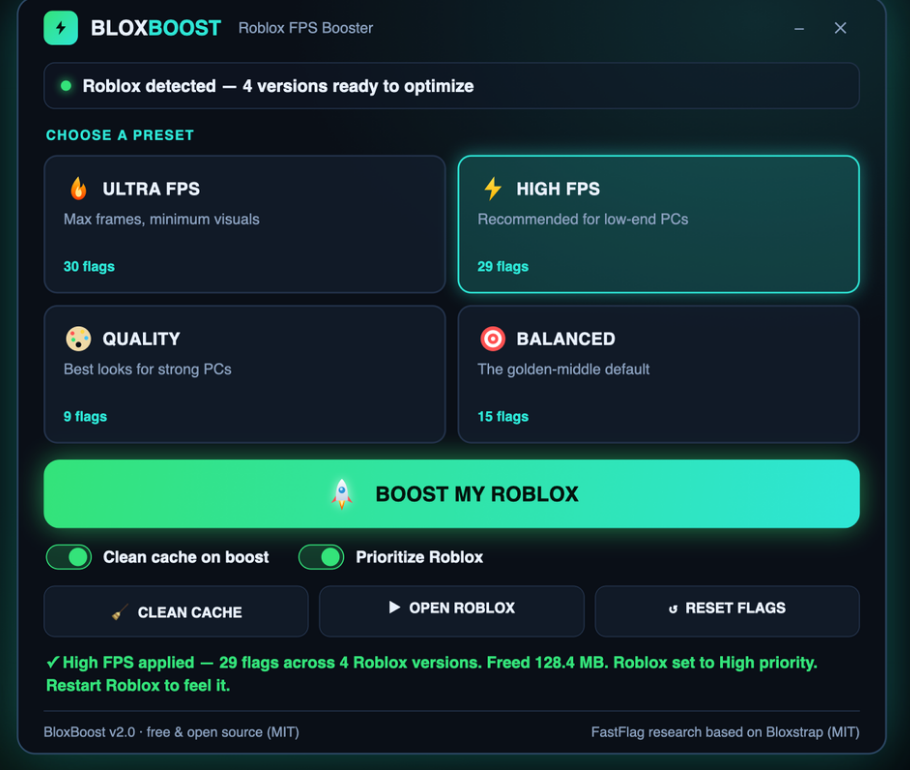
Press the Reset button and every change is undone instantly. Your Roblox returns to its original state before the next time you launch the app.
Will it work on my old laptop?
If it runs Windows 10 or 11, yes. The Ultra preset is built specifically for machines that are barely holding on. Even integrated GPUs will see a difference once the frame cap is gone and lighting is simplified.
Do I need to download anything else?
No. One download has everything: open the zip, run the installer, and the app is ready.
What's the difference between the presets?
Ultra removes the cap entirely and uses the simplest lighting for maximum frames. High caps at 360 FPS and is the most popular choice. Balanced is smoother with better lighting. Quality is for strong machines and preserves the full visual style.
Can I switch between presets?
Yes. Pick a new preset any time and click Boost My Roblox again. The app resets to vanilla first, then applies the new preset, so no old settings conflict.